Capstone Experience
This page unfolds the capstone in order: early architecture, then first design and UX/UI (with screenshots of the current flow), then backend and API, AI integration, data model, pivots and iteration, testing, and results. Each section introduces what the reader is about to see before the artifacts, so the narrative shows how the work developed and evolved over the capstone.
Early Architecture
The system is split into a React frontend and a FastAPI backend. The frontend talks to the backend over REST; the backend uses AWS Bedrock for question generation and evaluation, and PostgreSQL (e.g., on AWS RDS) for users and interview sessions. Authentication is token-based (e.g., JWT), so the same API can serve the web app and future clients.
Artifact: System diagram
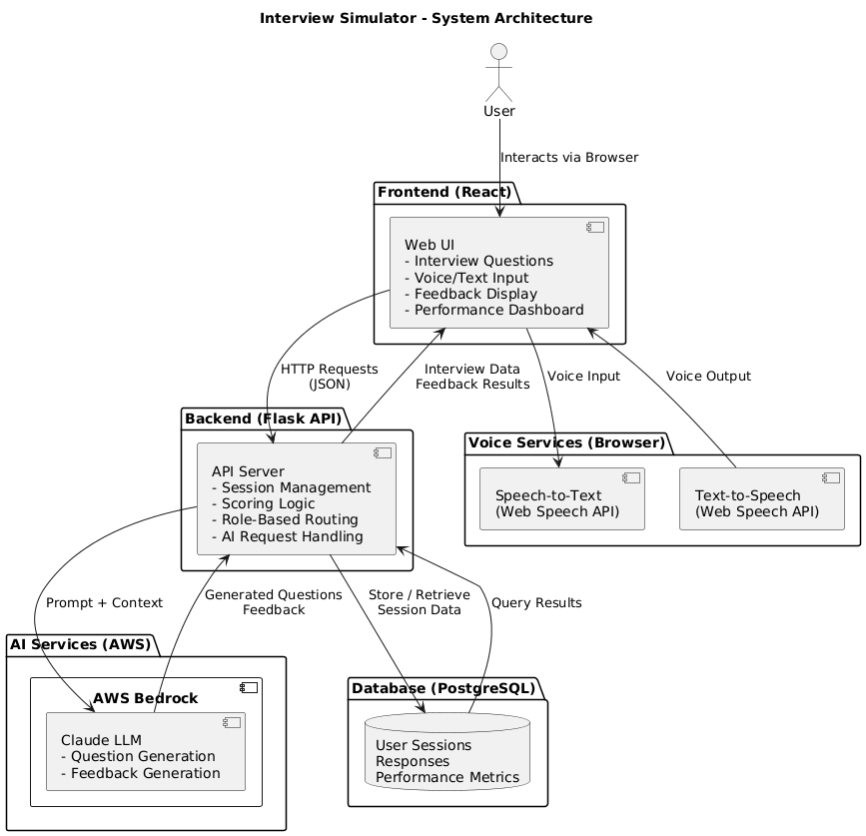
The diagram shows the split: the React frontend runs in the browser and calls the FastAPI backend over REST (CORS is configured so the frontend origin can call the API). The backend uses SessionLocal for PostgreSQL (e.g. on AWS RDS or another provider via DATABASE_URL) for users and interview sessions; it calls AWS Bedrock (bedrock-runtime) for question generation and answer evaluation. Auth is token-based so the same API can serve the web app and future clients. This layout keeps the LLM and data behind one API and simplifies deployment (e.g. backend on Elastic Beanstalk, frontend elsewhere).
First Design and UX/UI
The user flow centers on login/signup, choosing role/company/difficulty and interview type, then a question–answer–feedback loop with optional follow-ups and session notes. The dashboard shows stats and history once enough sessions are completed. The flow evolved from an initial wireframe (single question type, minimal setup) to the current multi-step setup and three interview types; the screenshots show the current state after those iterations.
Artifact: Setup flow (7 screens)
The setup flow walks the user from entry to “ready to start.” Each screen is introduced so the reader knows what to look for.
The flow starts at the welcome or login screen.
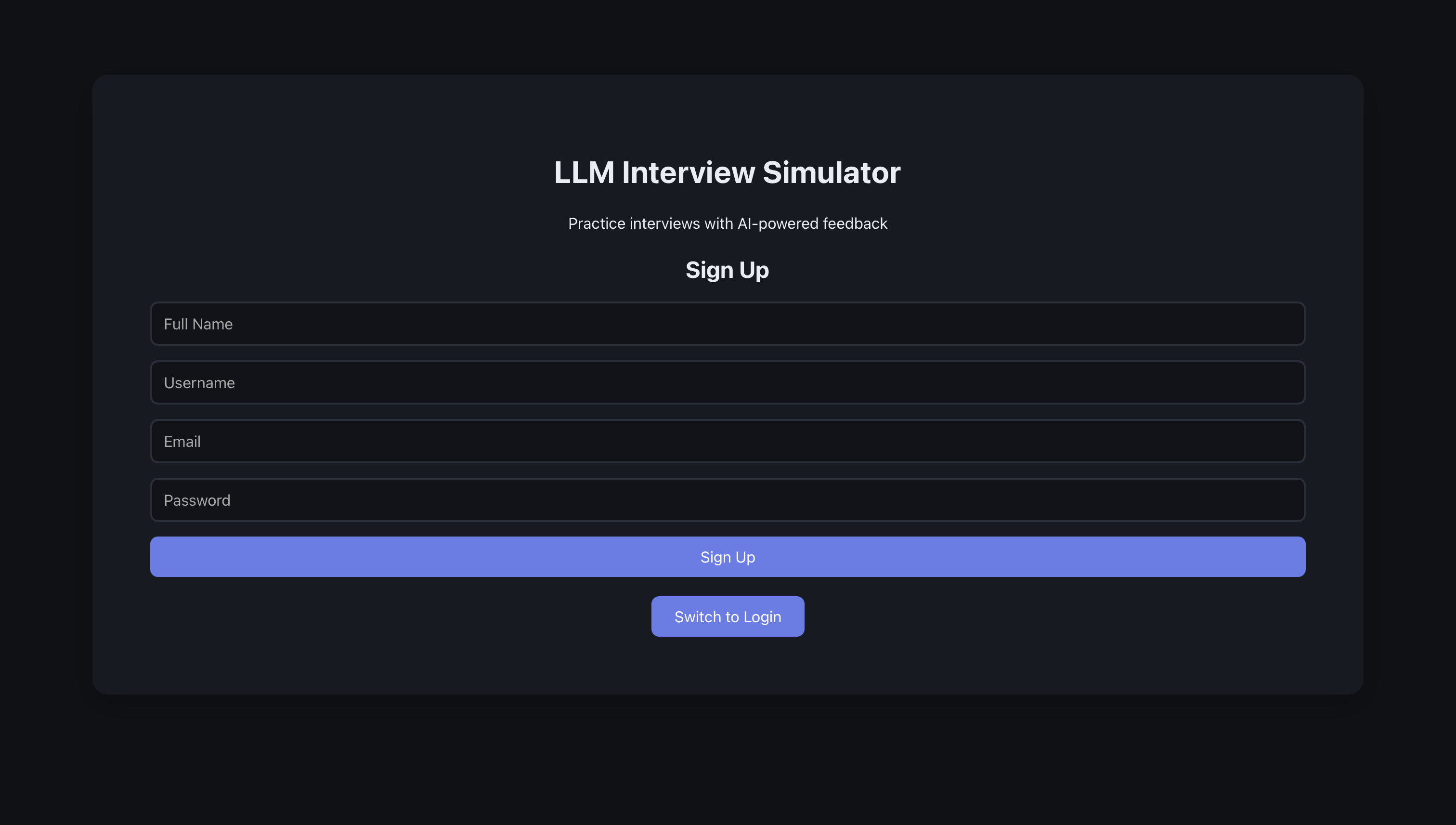
The user enters their details like full name, user name, email address, and password.
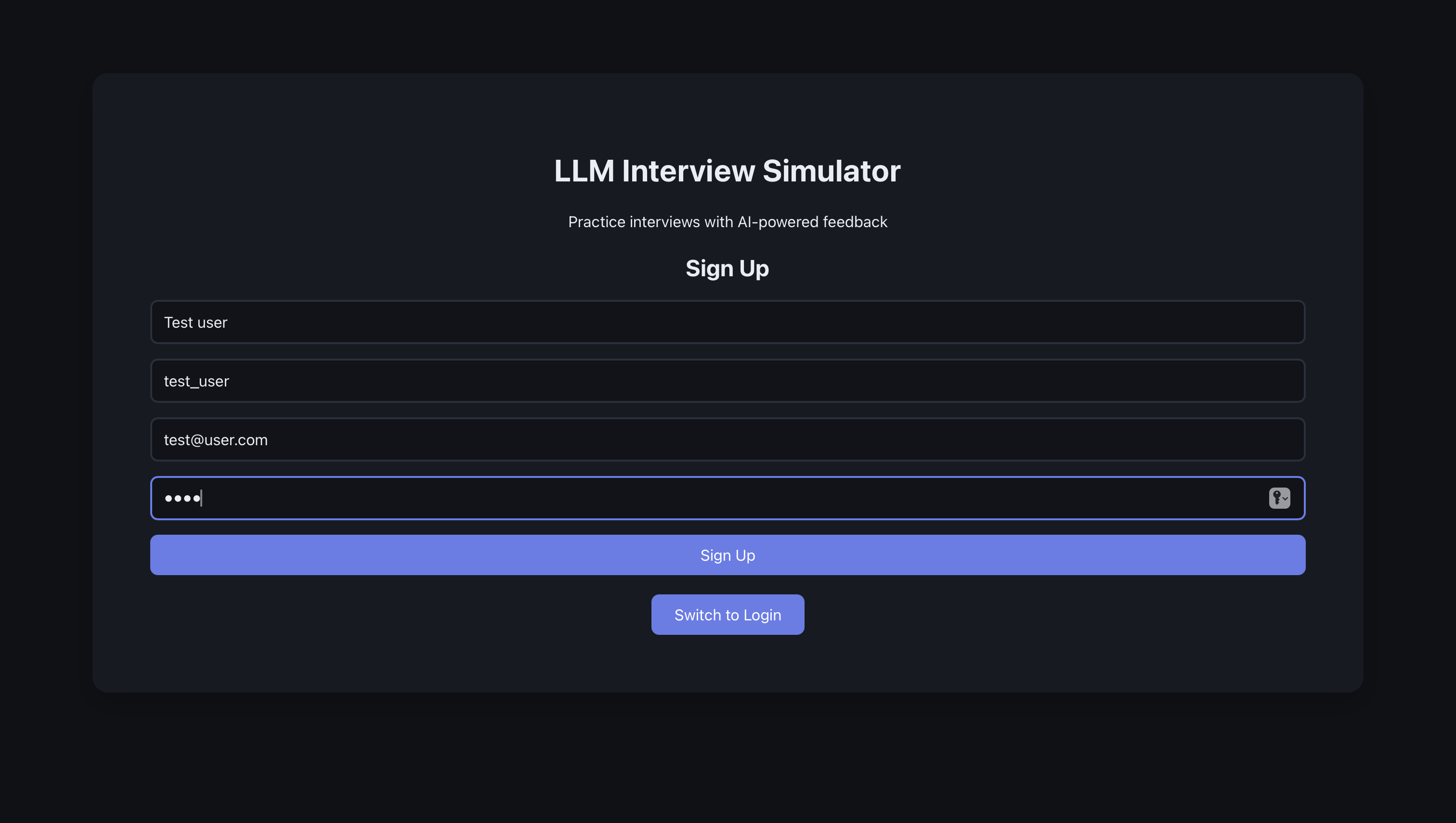
The user then gets a pop-up telling them that their registration was successful.
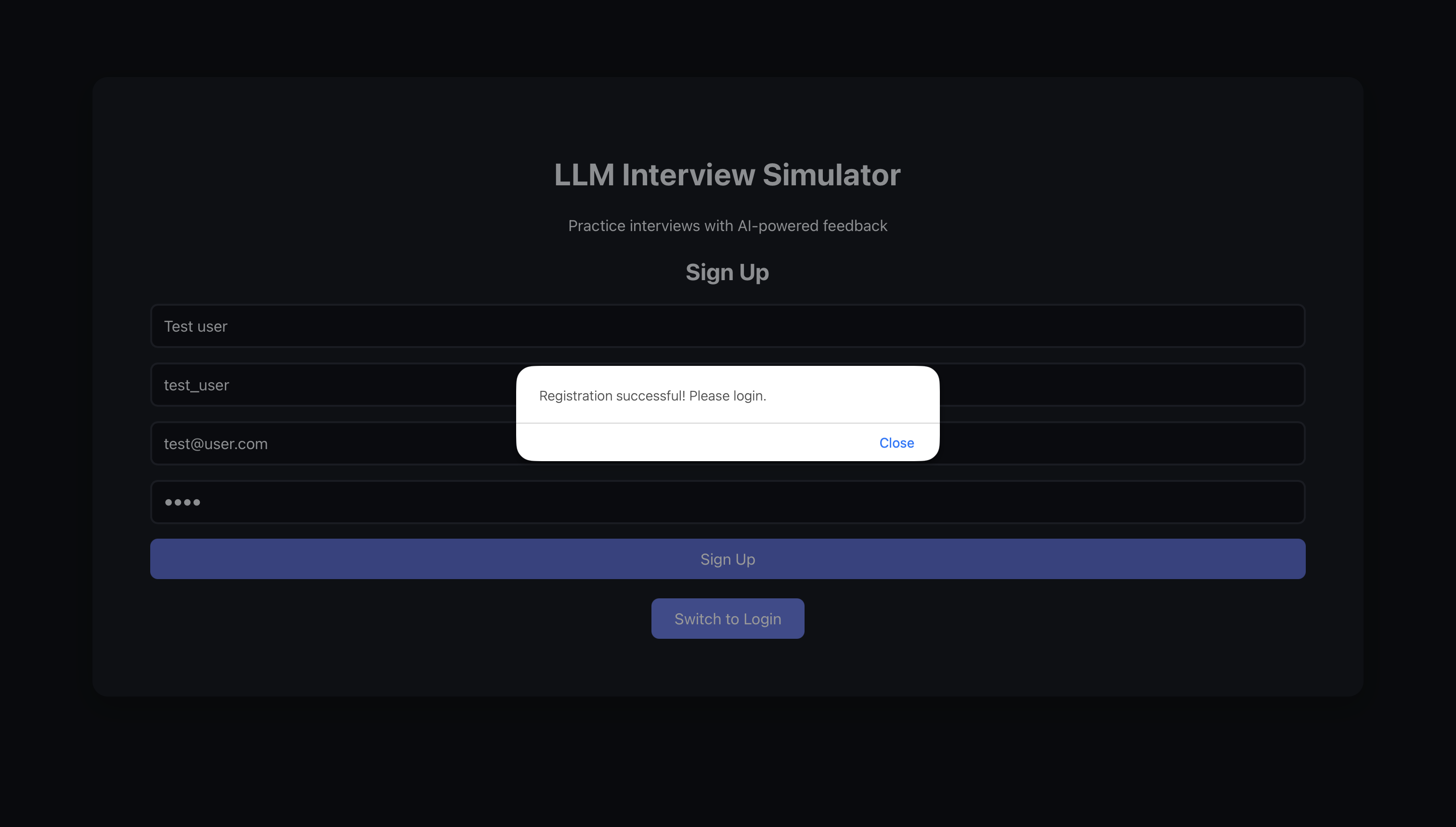
The user then logs into the website.
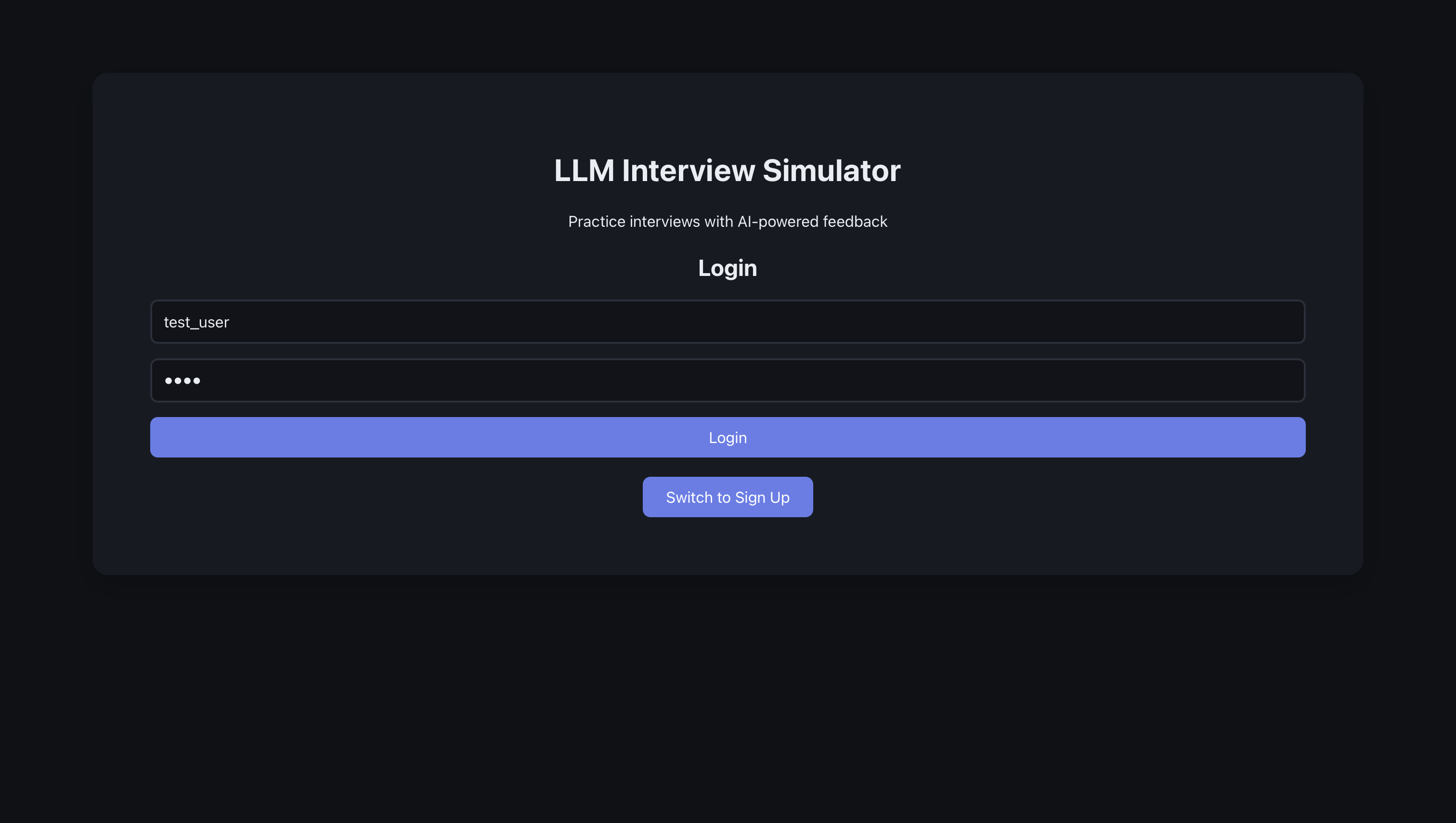
Here, we have the interview page, which is also the first page the user sees. The user sees a place where they can enter their role and company. They also see four interview options, namely technical, behavioral, design, and timed interview.
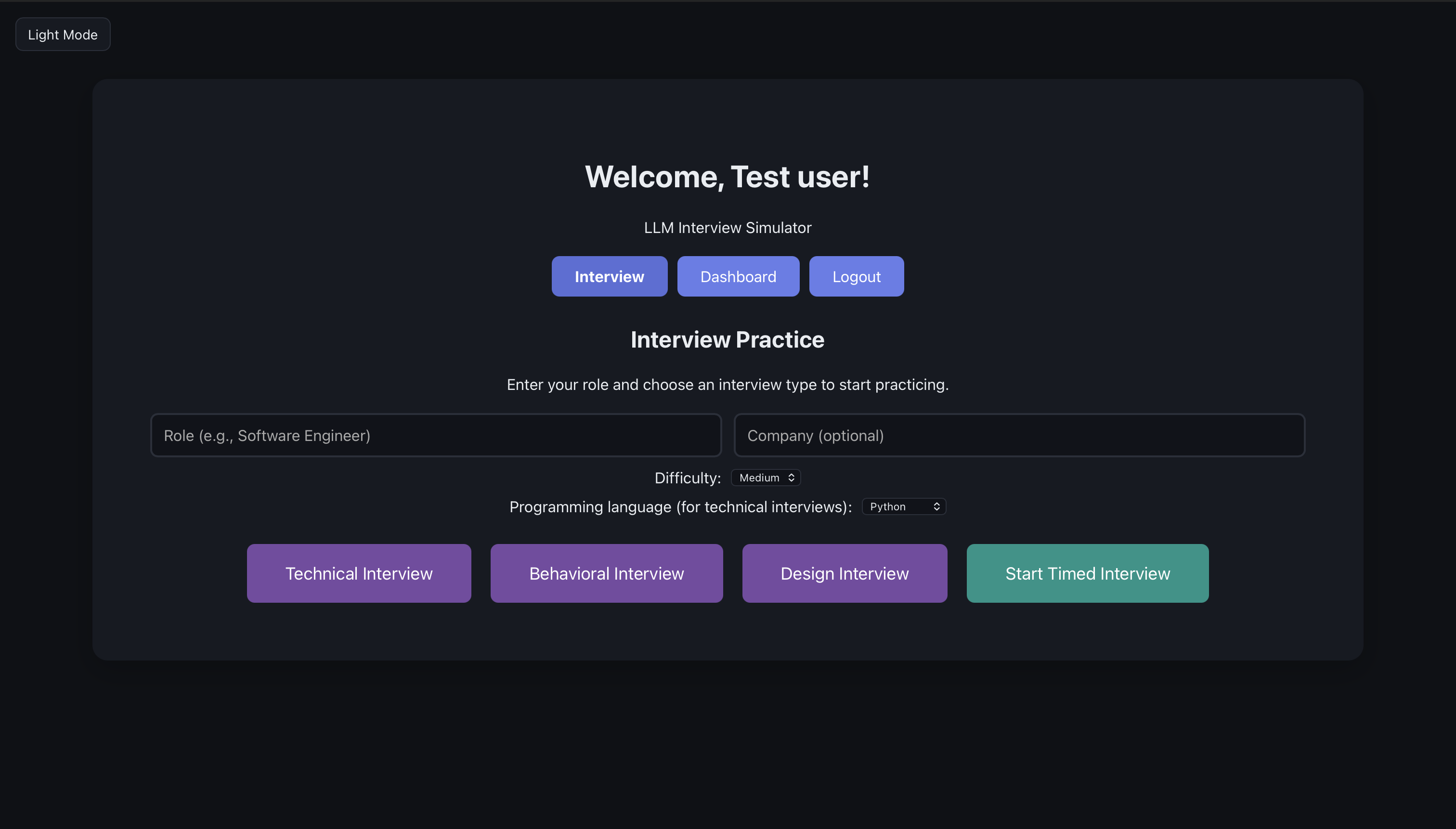
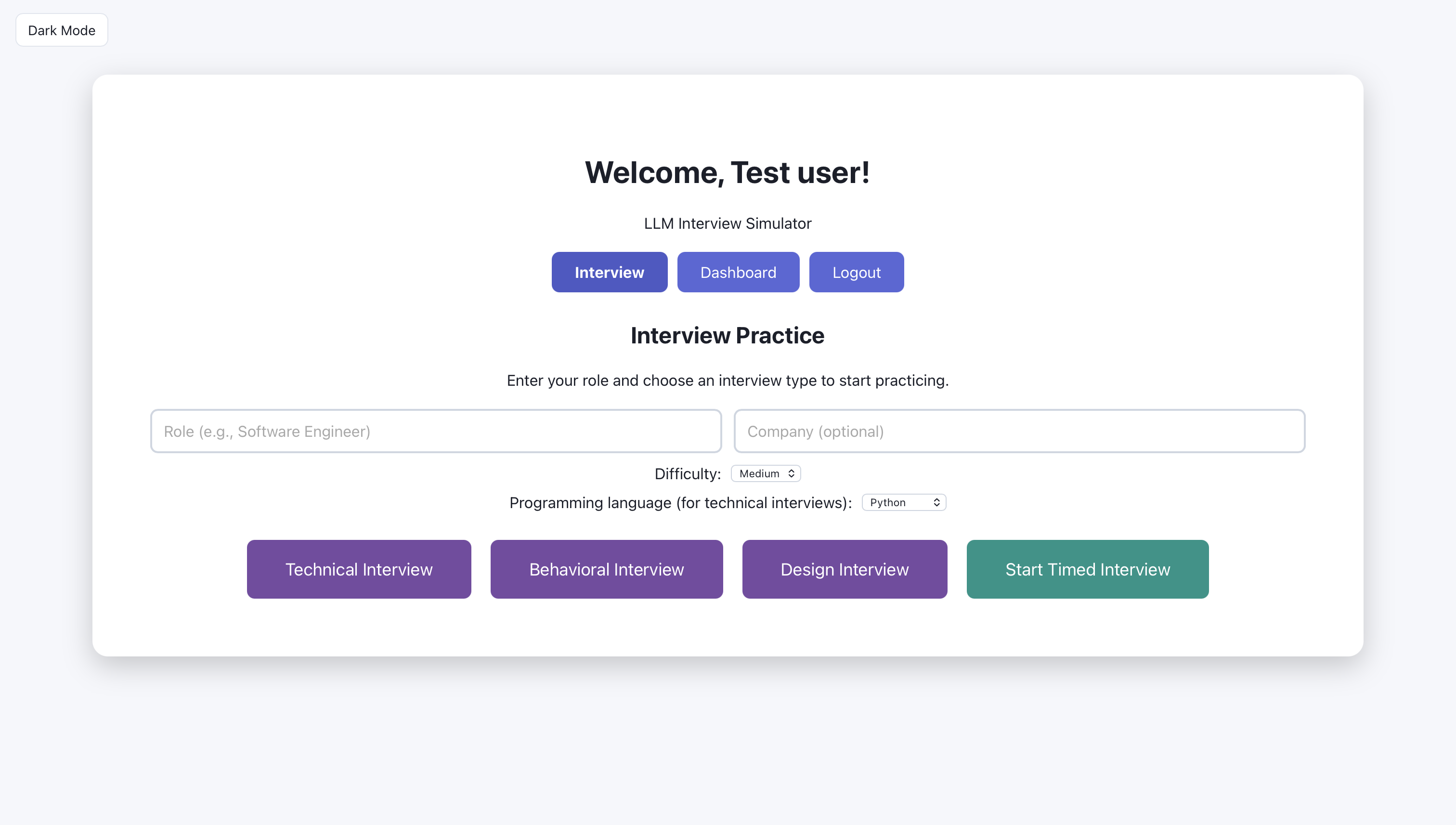
The user can also switch to light mode
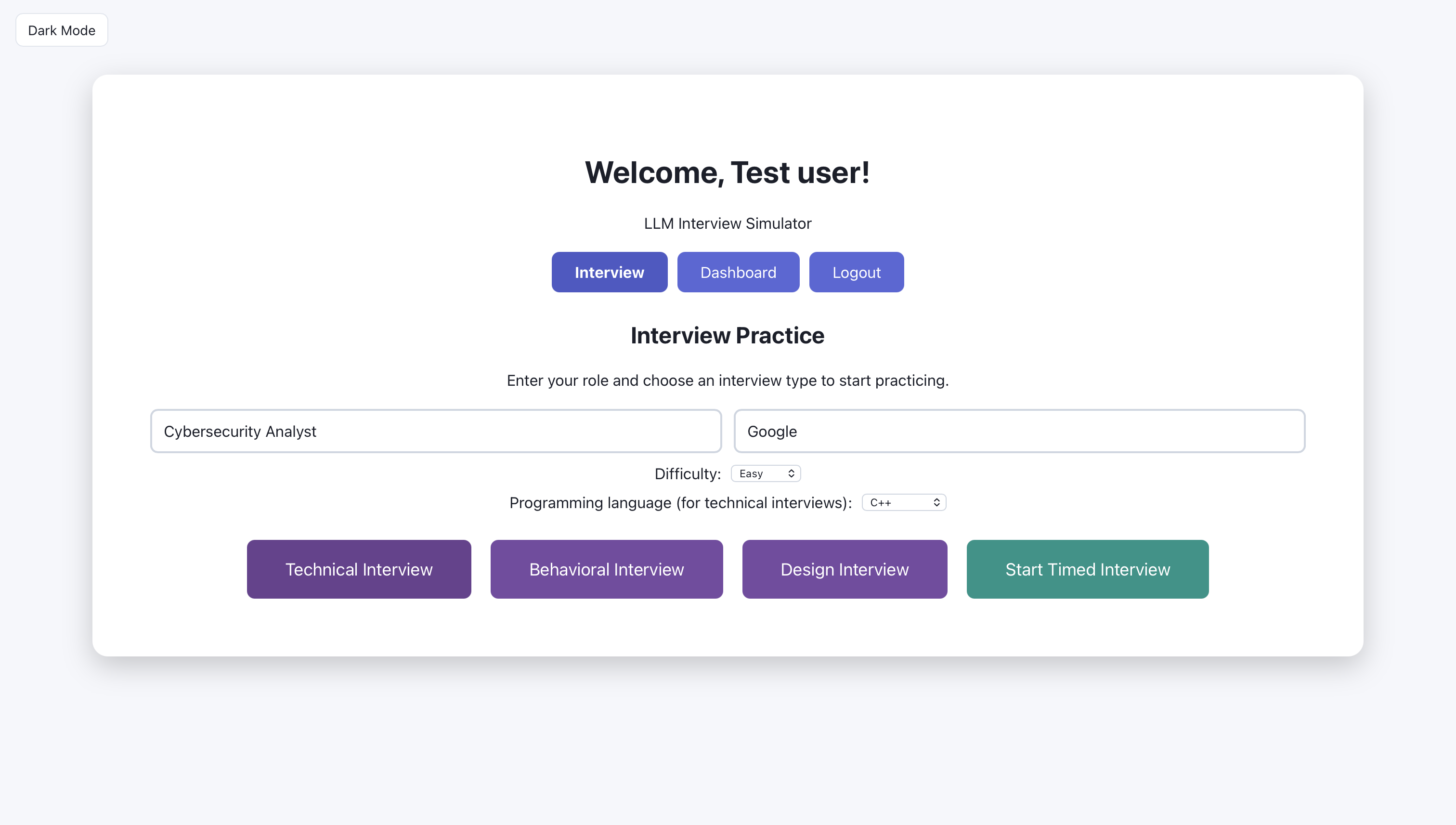
The user is ready to start; The user enters cybersecurity analyst for role and google for company
Artifact: Interview flow (15 screens)
Each round follows the same pattern: the system shows a question, the user submits an answer, and the AI returns feedback with a score and suggestions; follow-up questions are optional. The screens walk through that loop so the reader can see what to look at on each step.
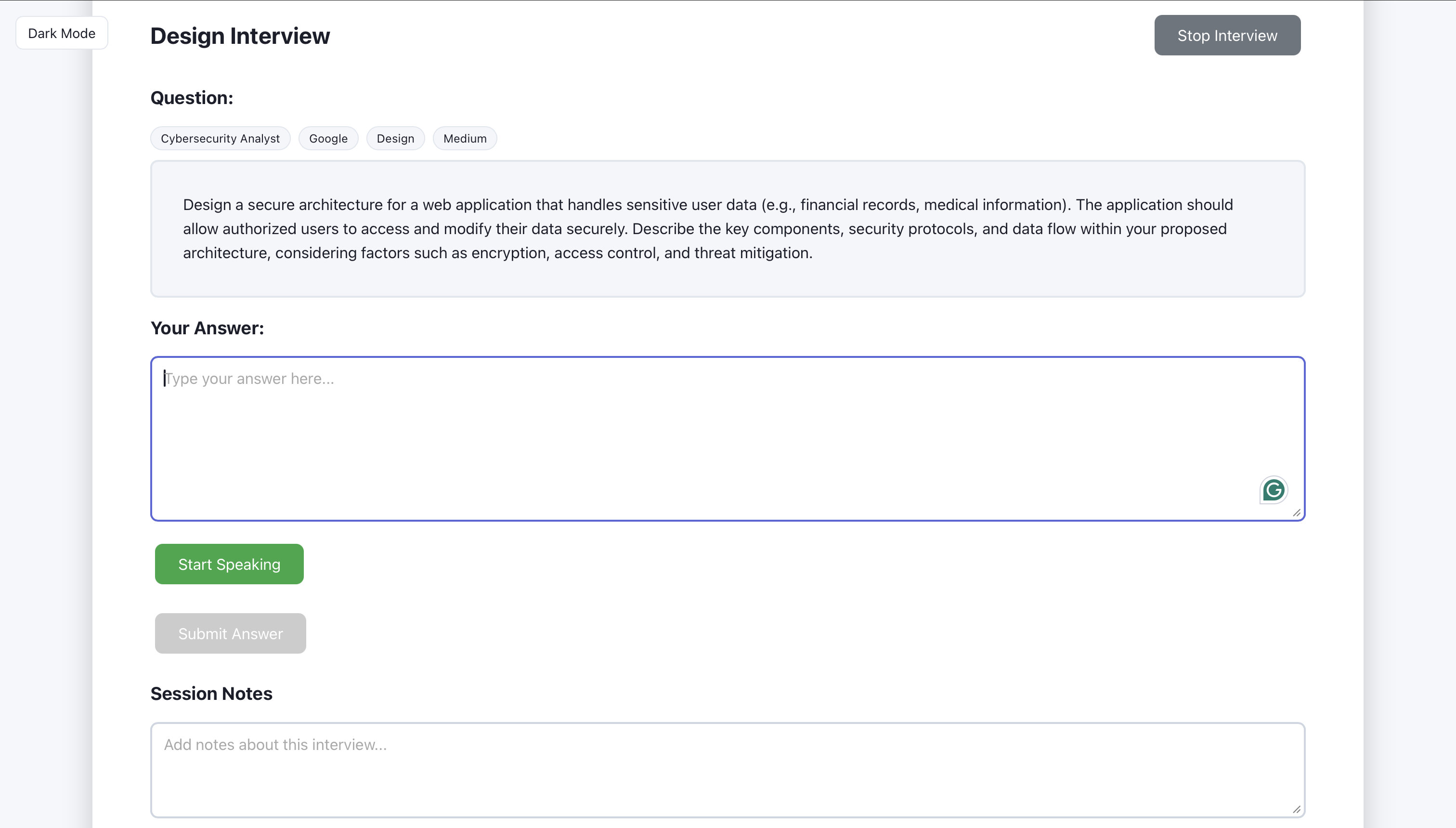
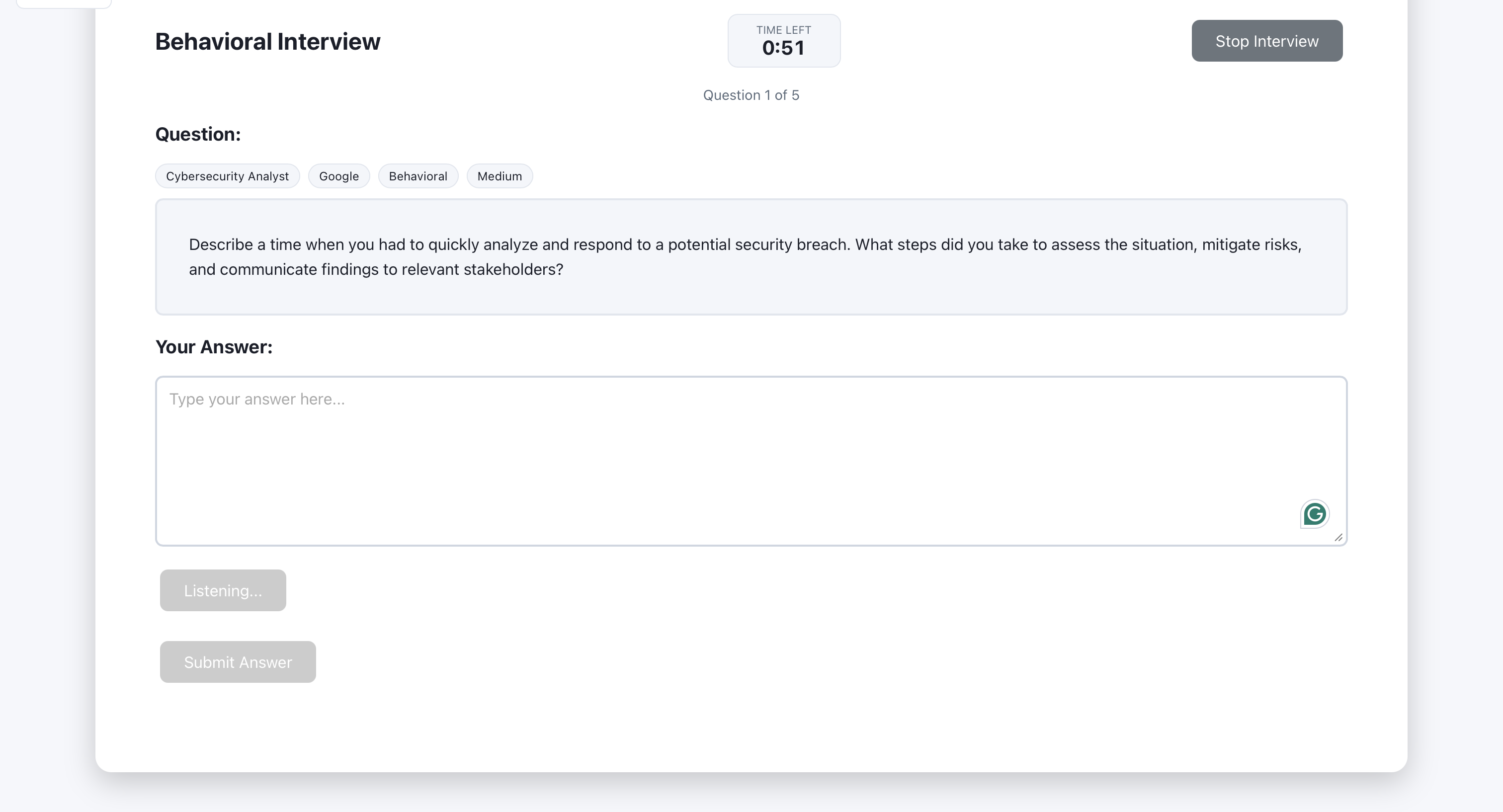
The generated question is displayed for the user to read.
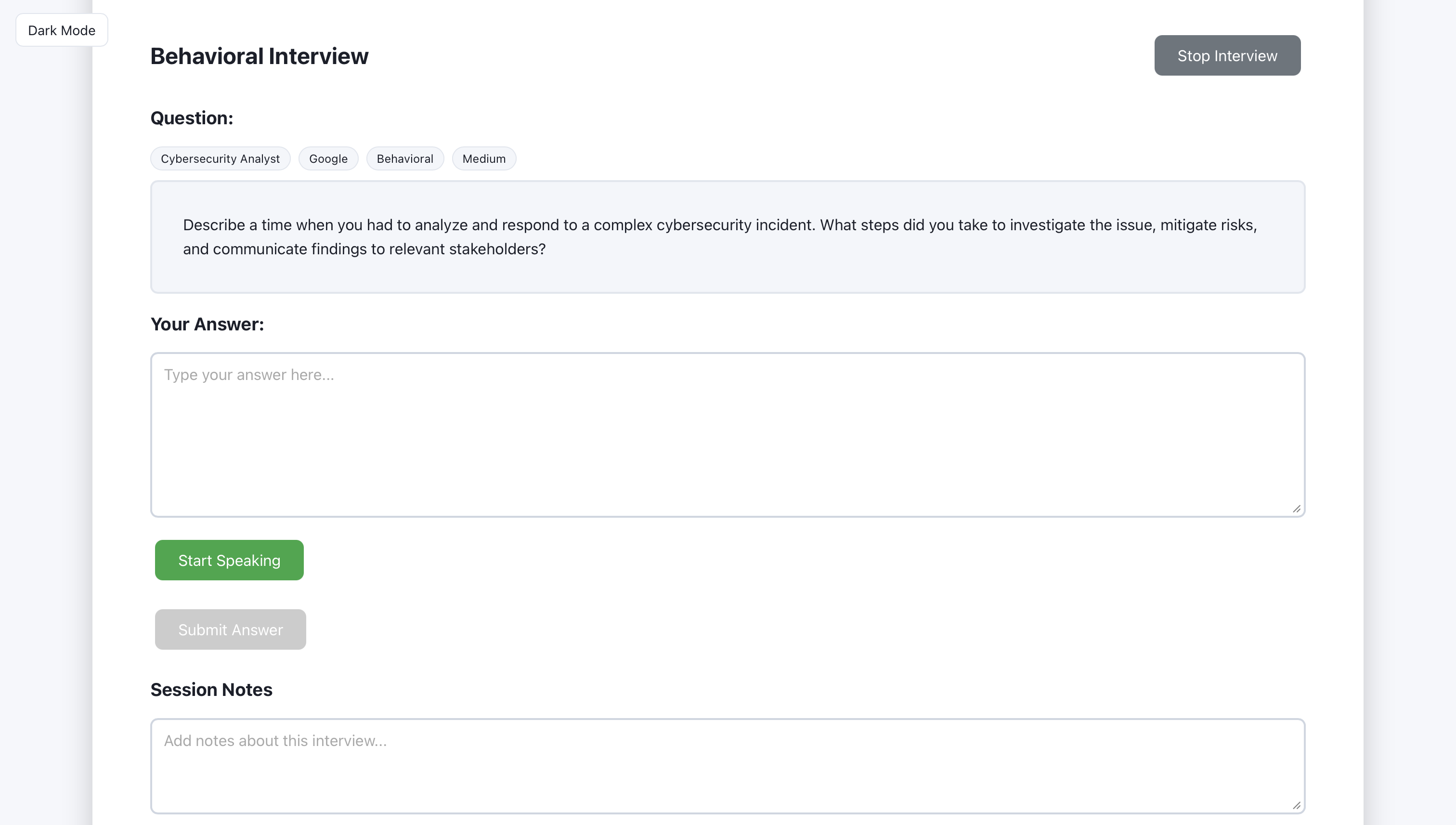
The user types (or speaks) their answer in the input area.
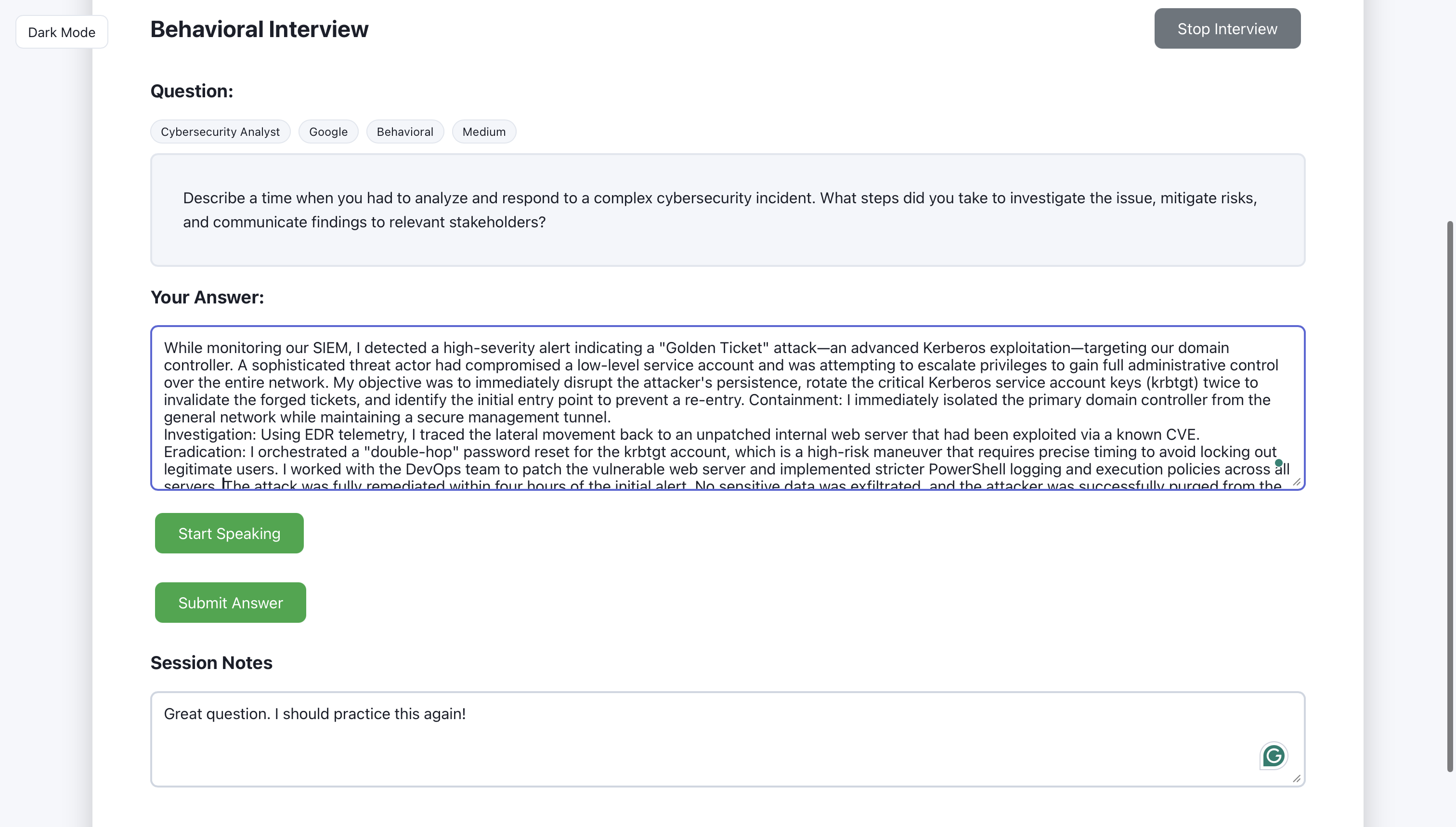
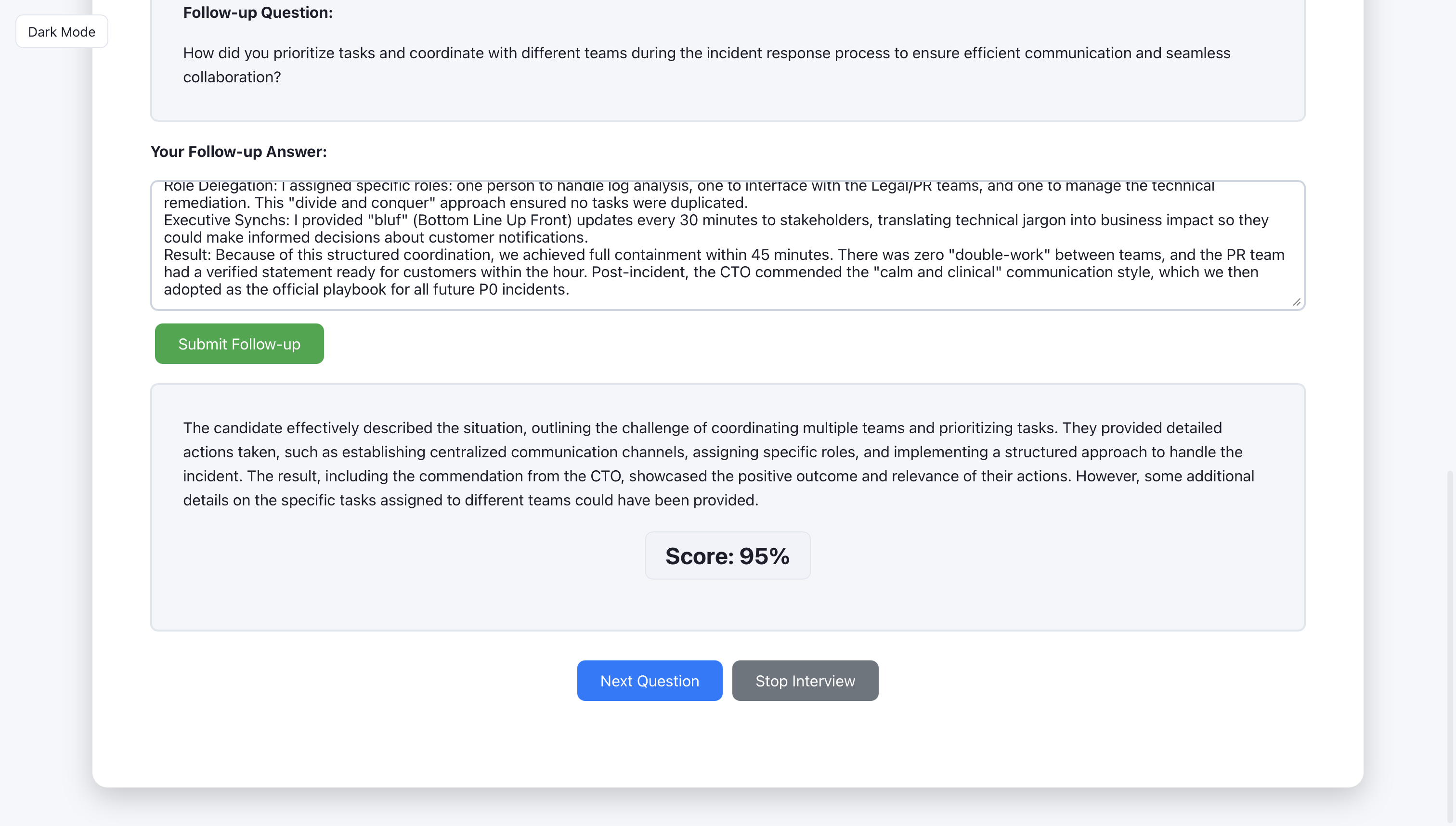
After submit, the AI returns feedback with a score and suggestions.
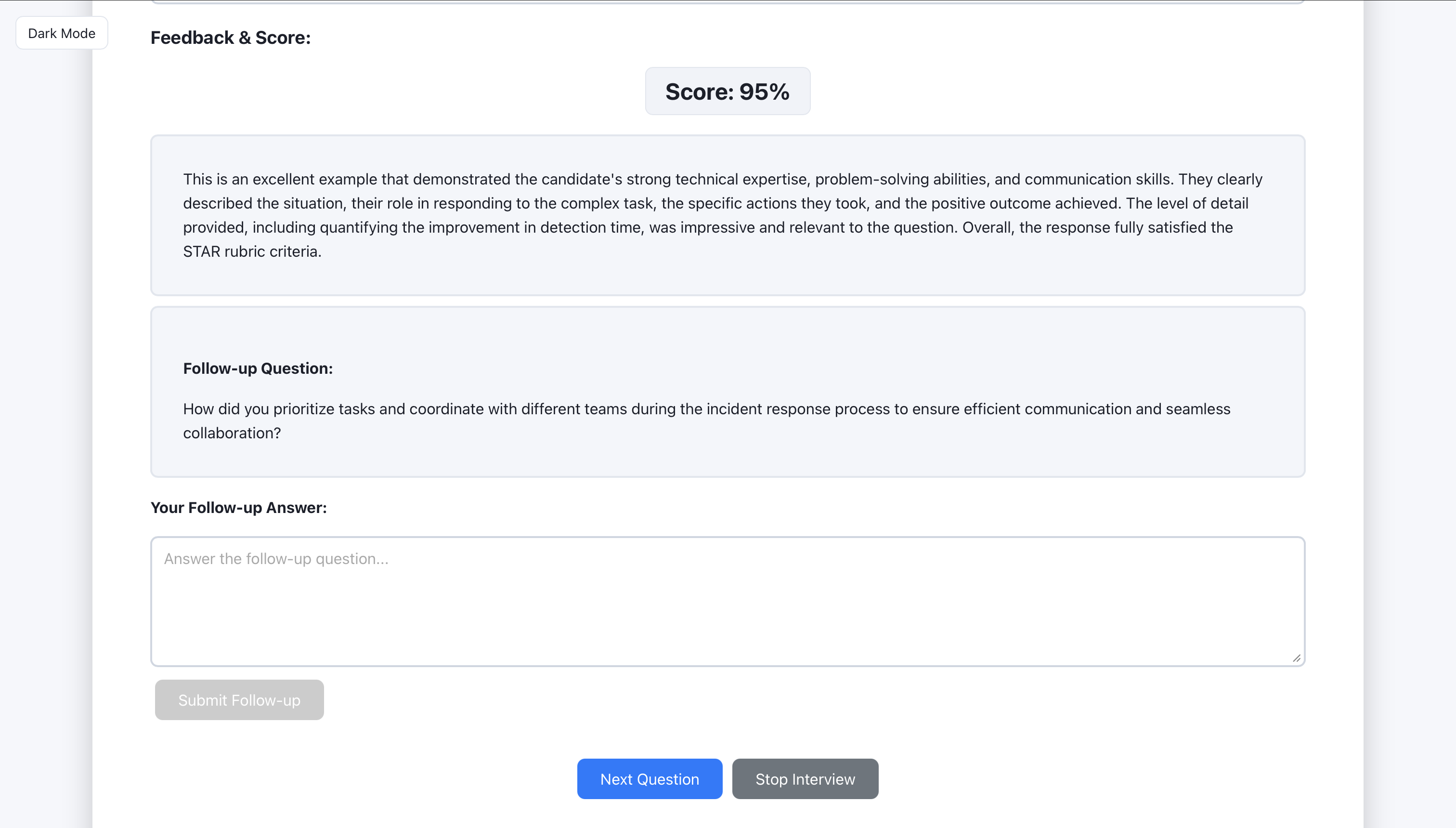
The user can request a follow-up question or move to the next round.
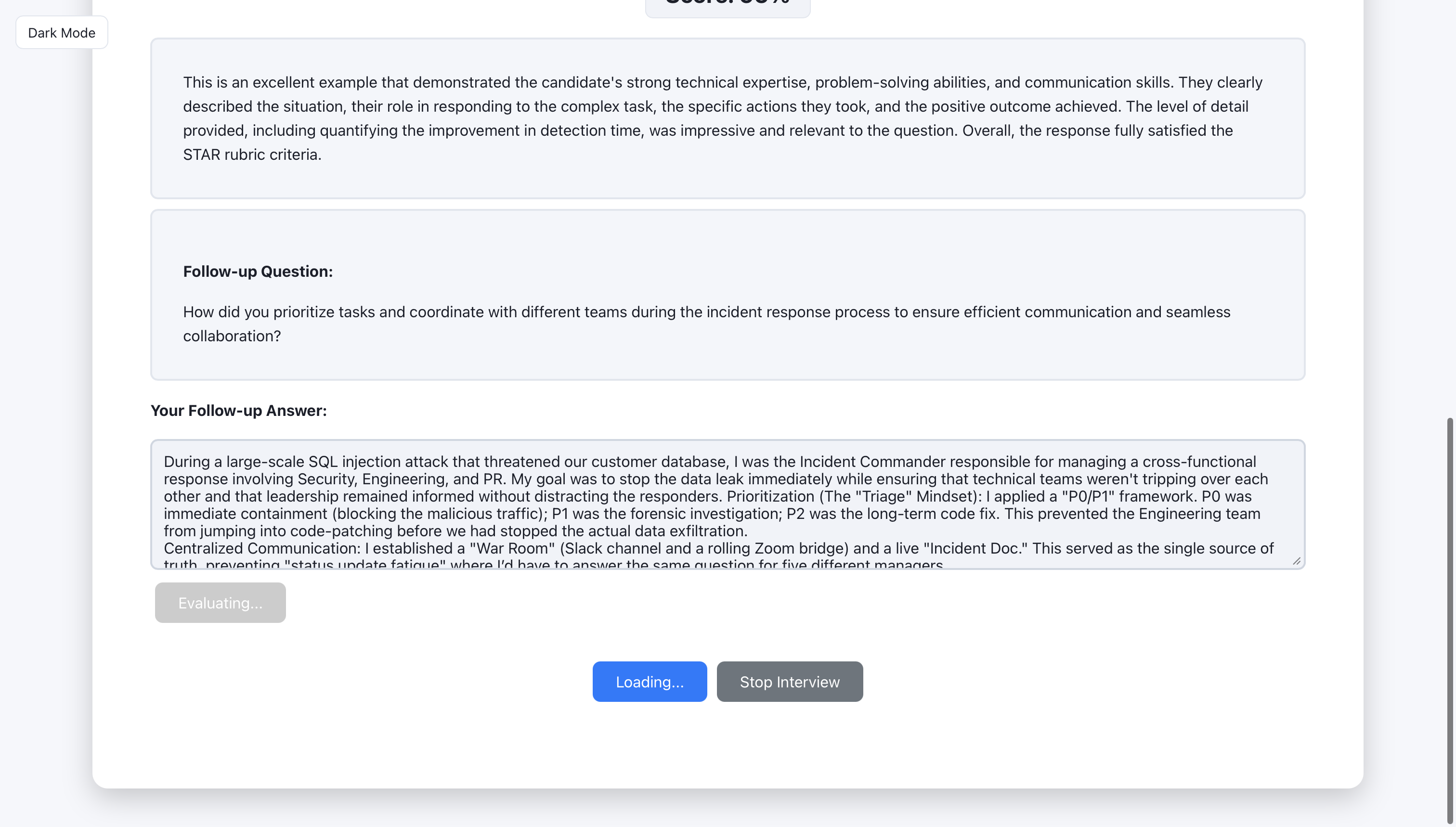
Feedback for foolow-up question
Question for design interview
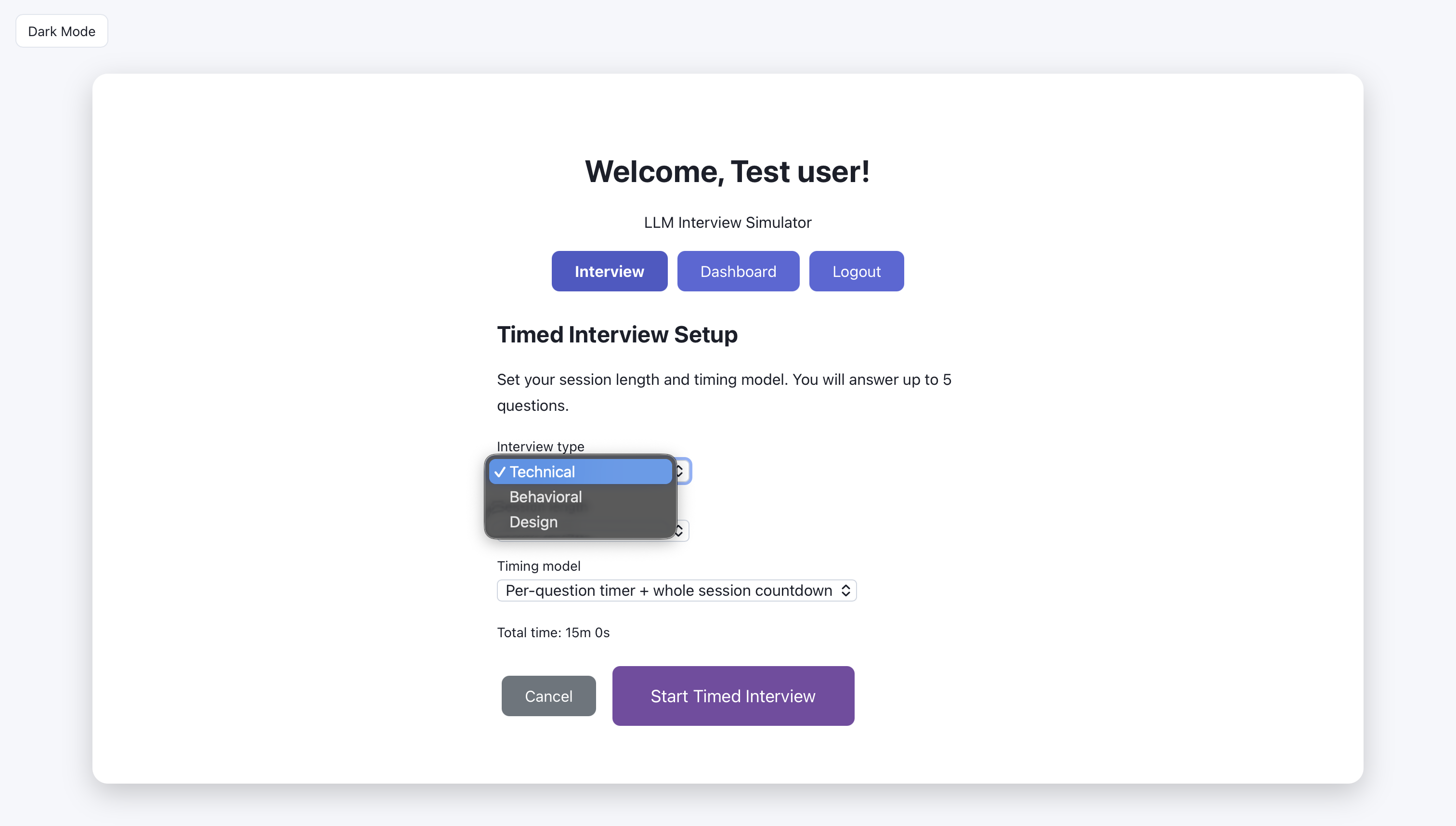
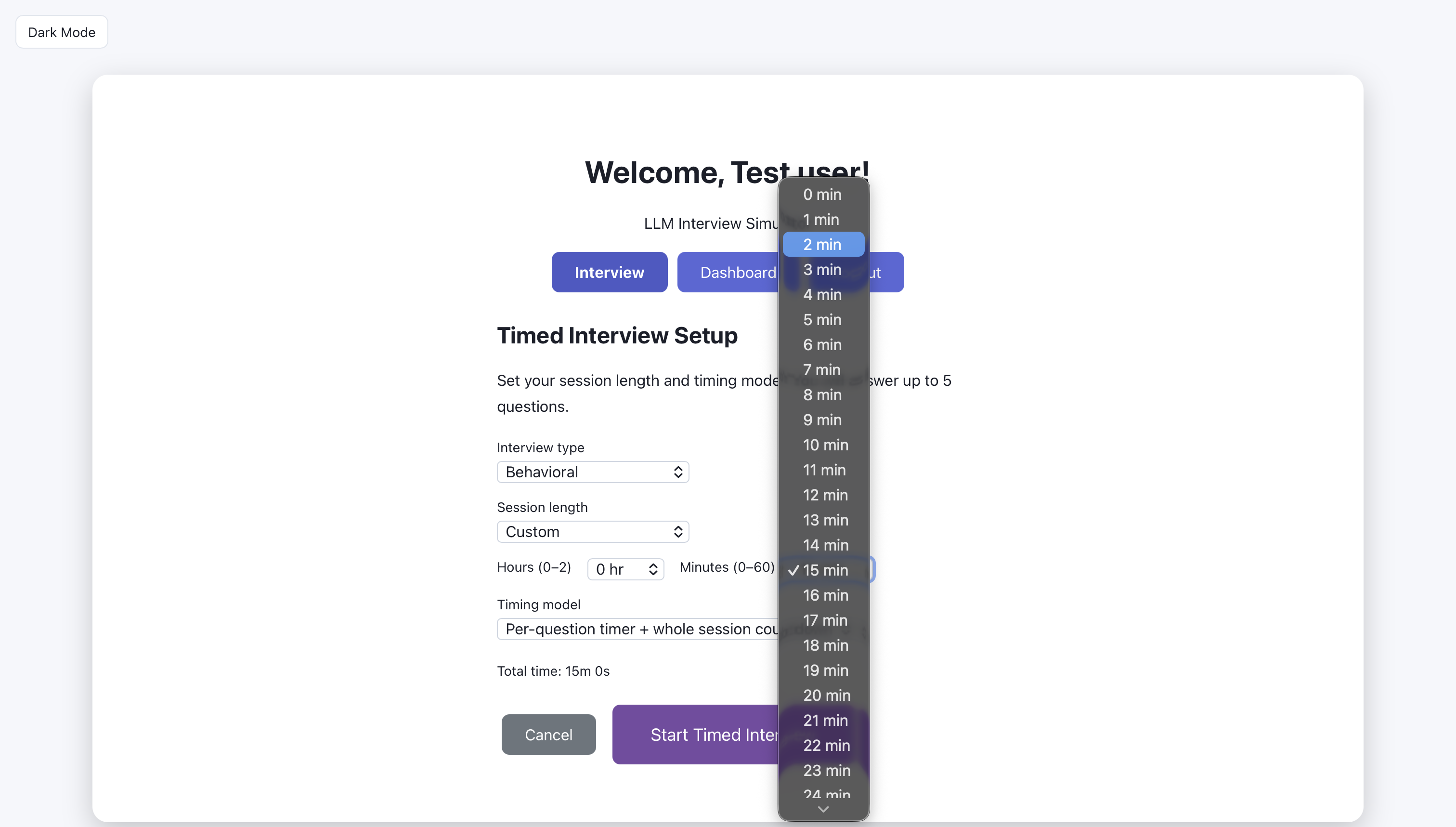
Timed interview: choose type of interview
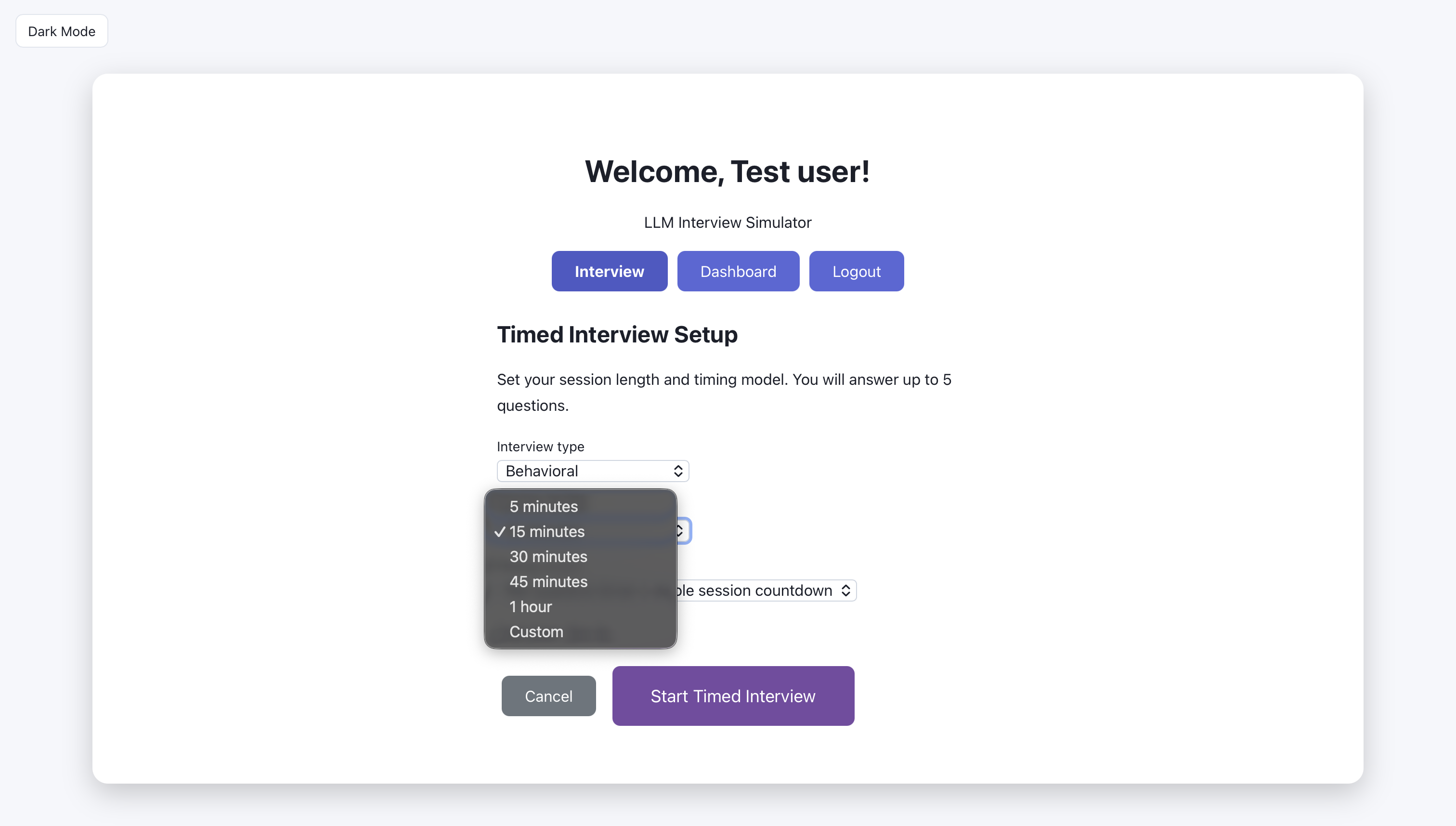
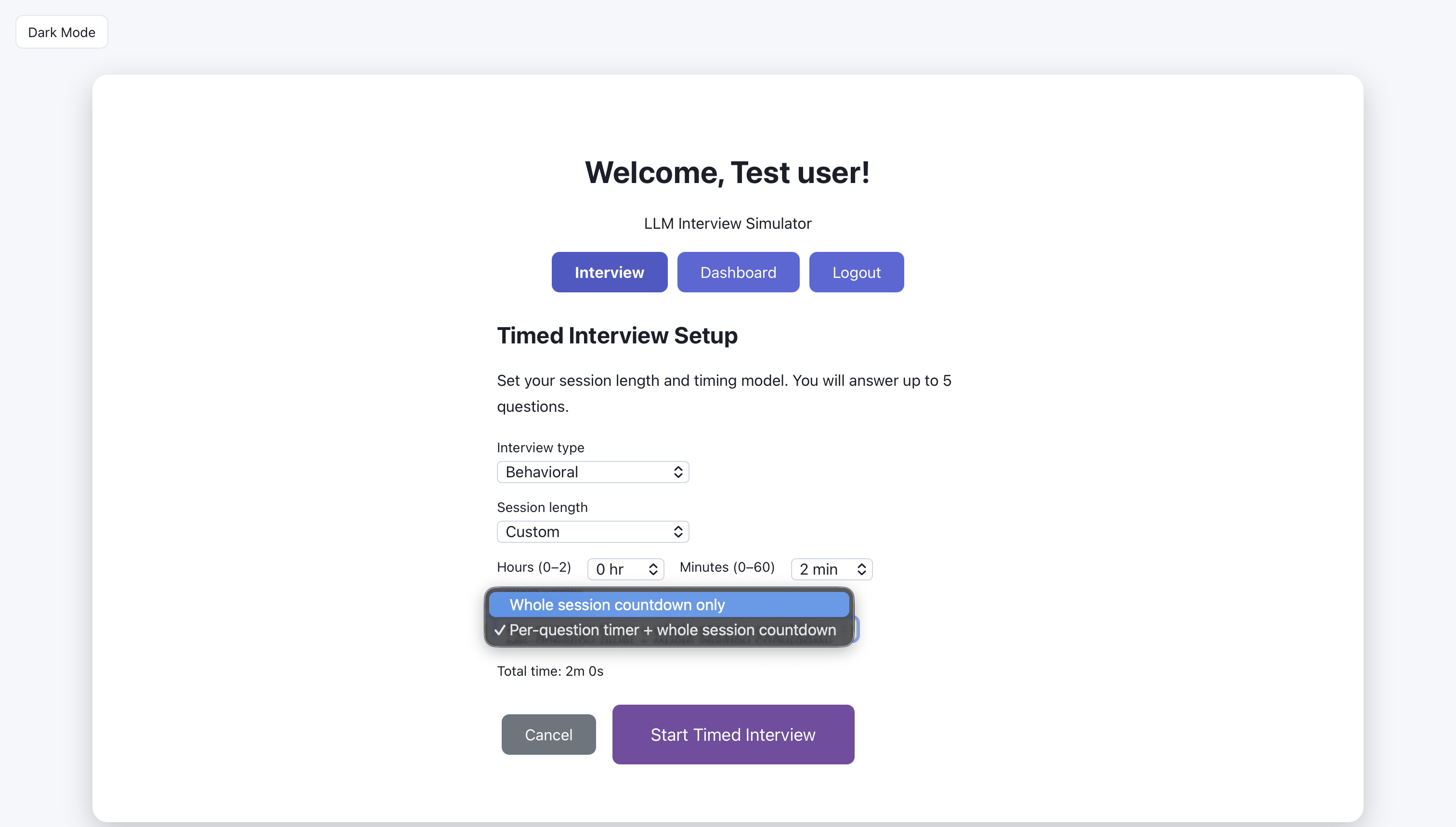
Timed interview: choose session length.
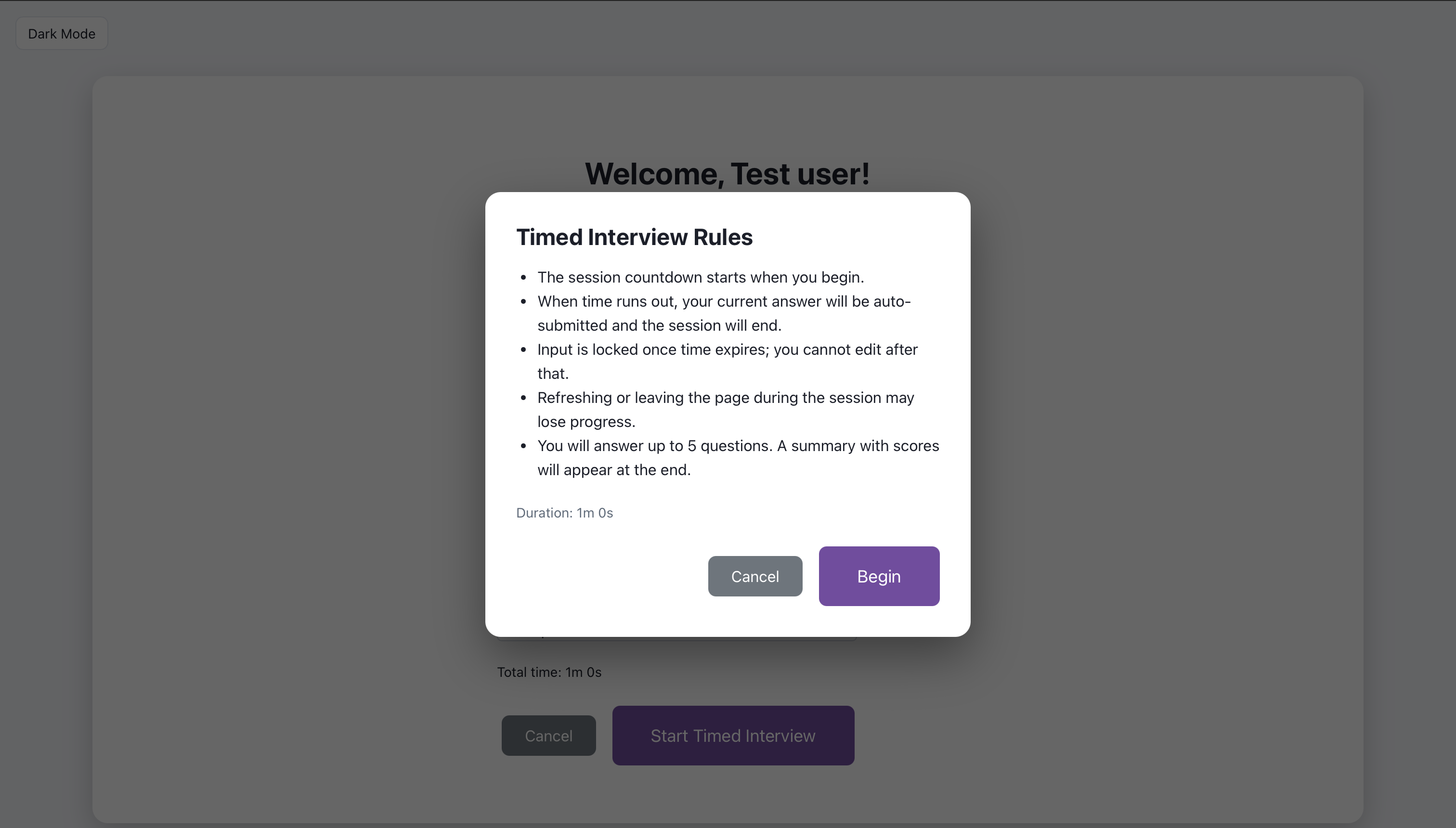
Timed interview: choose custom session length
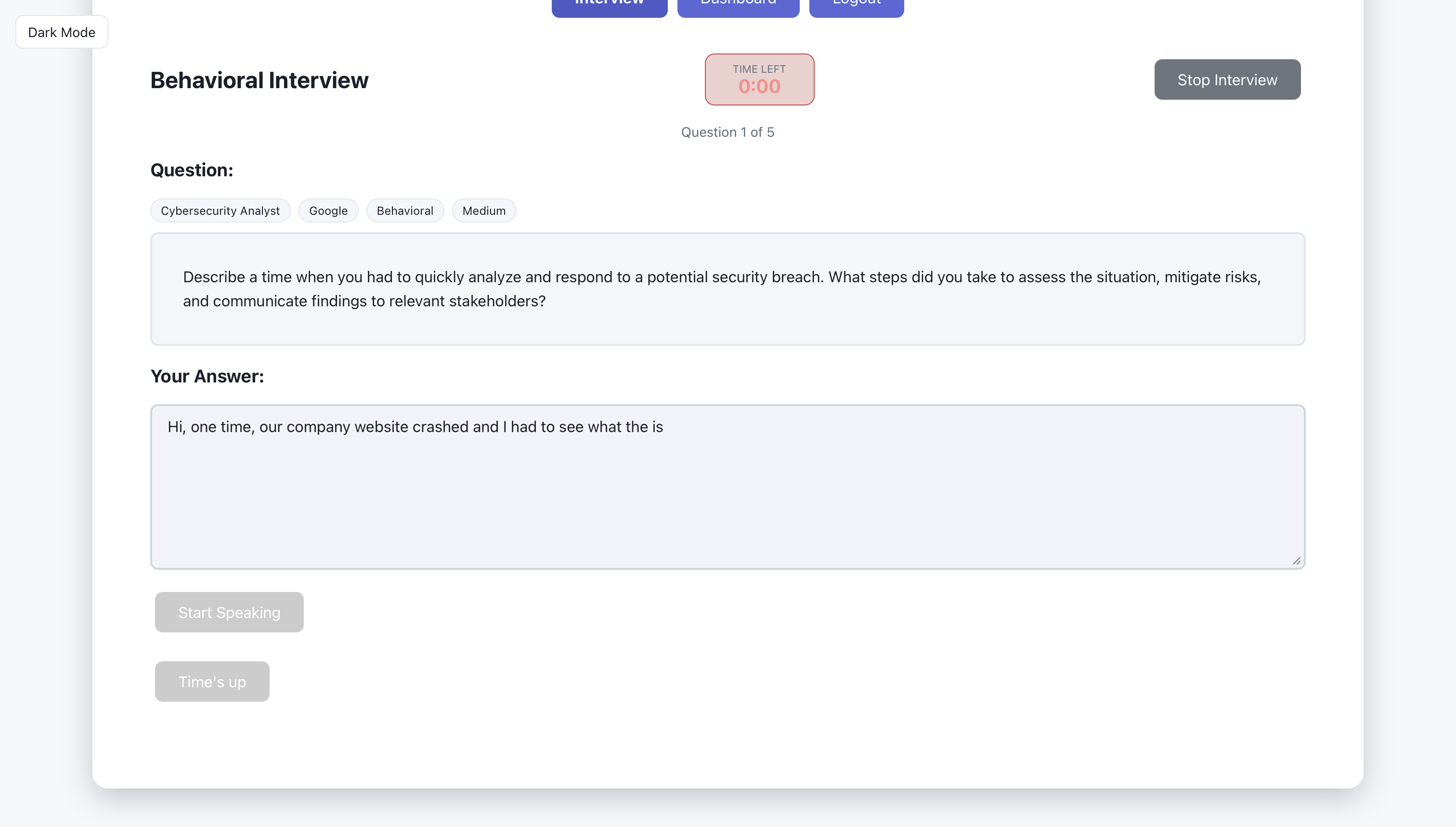
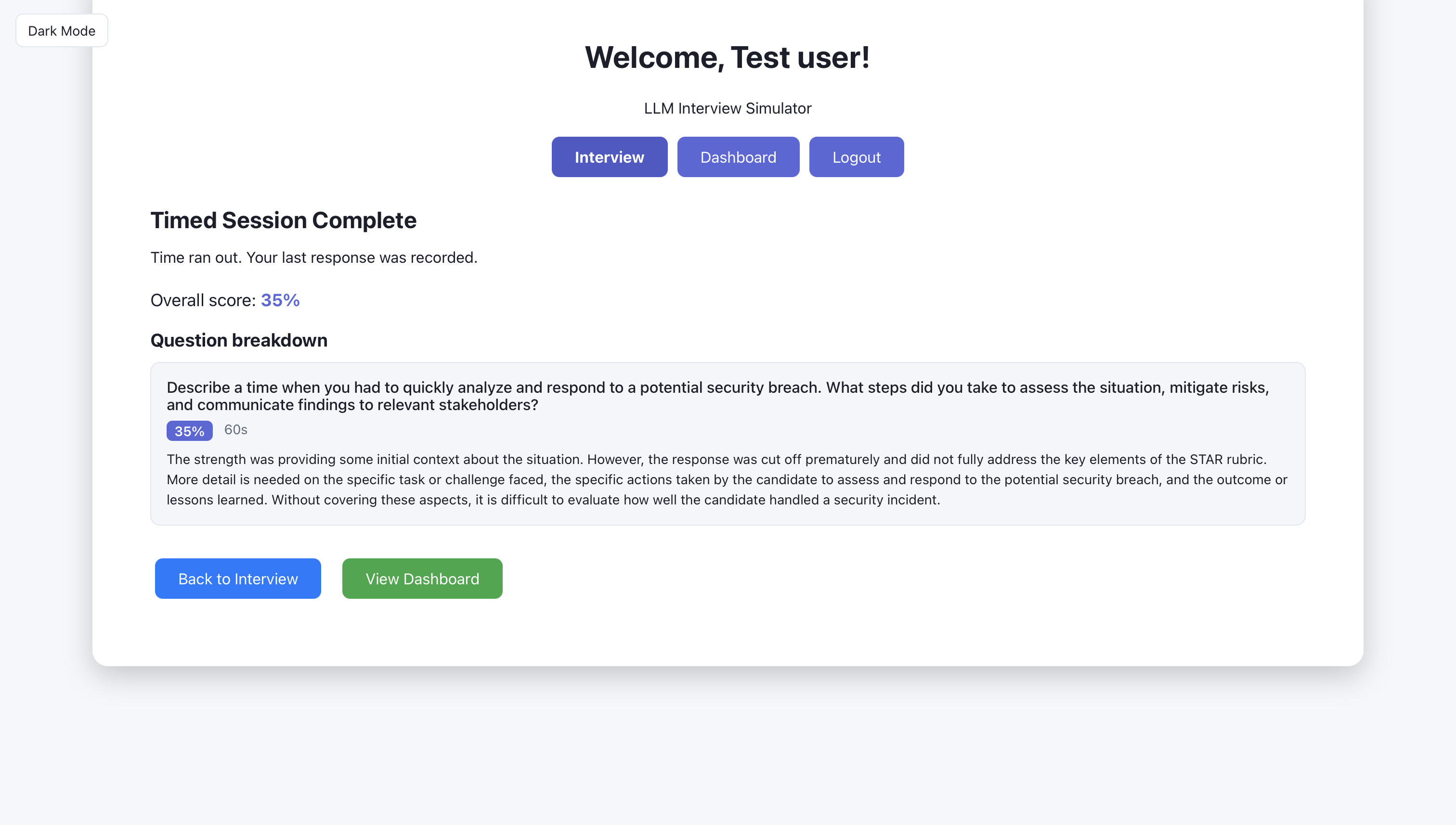
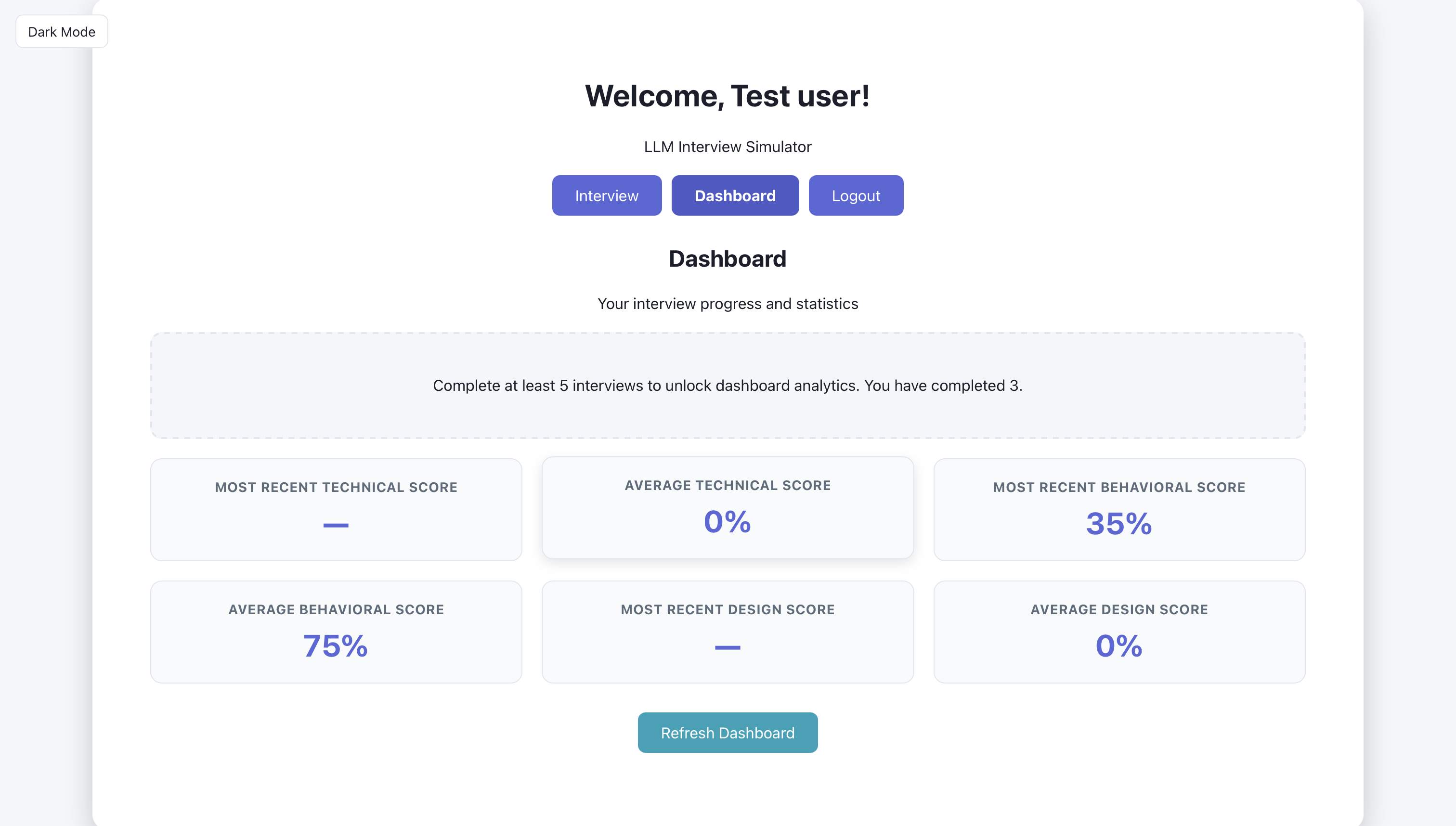
Artifact: Dashboard (2 screens)
After sessions are completed, the dashboard shows aggregate stats, recent sessions, and history. The three screens below show what the user sees: overview first, then detail.
The user can see their strengths and weaknesses here.
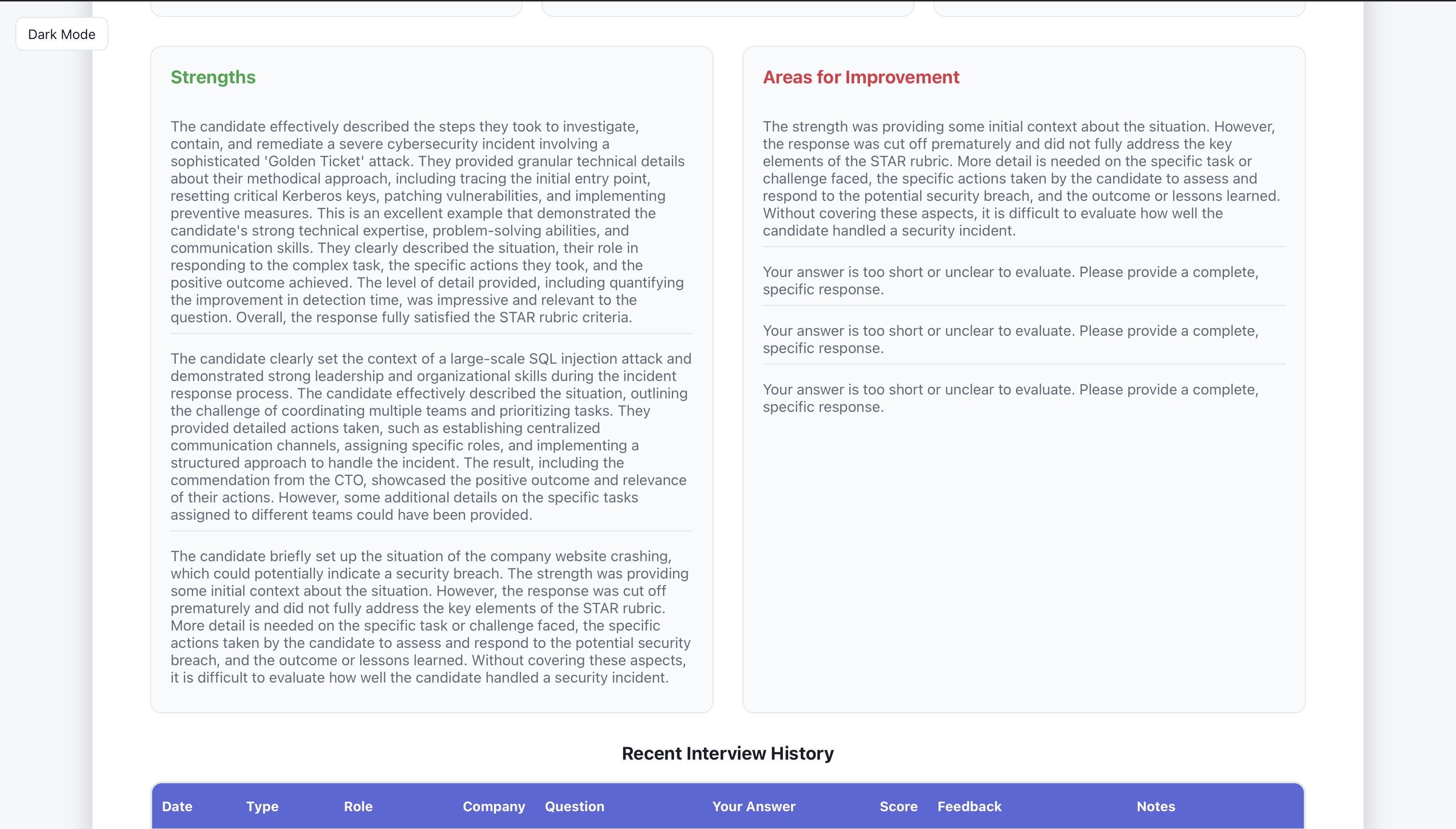
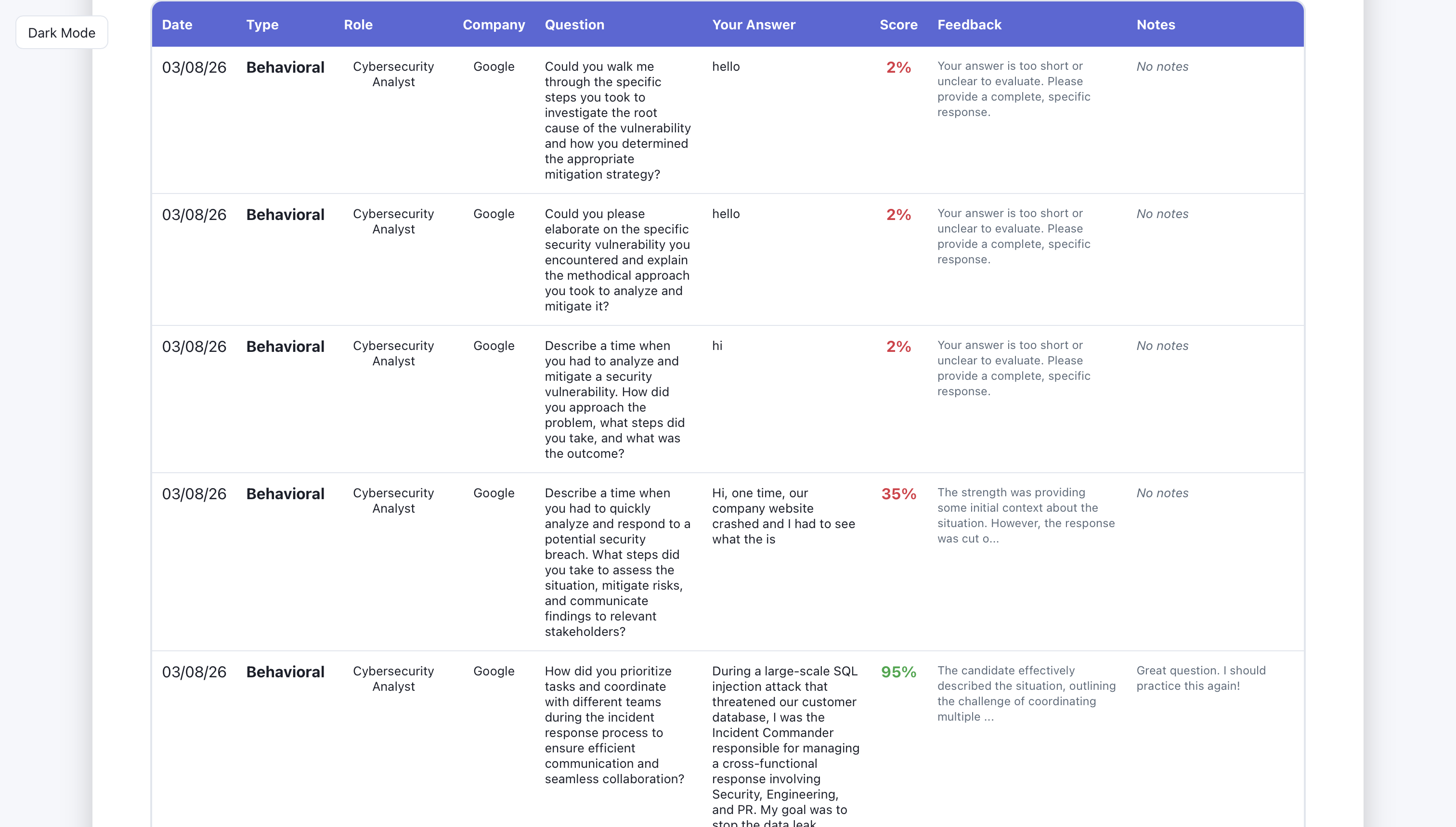
The user can see their interview history (date, type of interview, role, company, question they were asked, what they answered, score, feedback, and session notes.
Database and API
The backend exposes endpoints for auth, interview (generate-question, evaluate, followup), sessions (create, list), and dashboard (stats, history). It uses Pydantic for request/response models and connects to Bedrock and the database. SQLAlchemy and a SessionLocal dependency provide database access; auth uses JWT so the same API can serve the web app and future clients.
Artifact: Key code or API design
API structure. Routers are mounted in app/main.py: auth, interview, sessions, dashboard. Key interview endpoints:
GET /api/interview/generate-question— query params:interview_type,difficulty,role,company,language; returns a generated question (Bedrock or fallback).POST /api/interview/evaluate— body:question,user_answer,interview_type,role,company; returnsfeedback,score,suggestions,strength_highlight.POST /api/interview/followup— body:question,user_answer,interview_type,history; returns a follow-up question.
Request/response models (Pydantic). From app/routers/interview.py and app/models/schemas.py:
class InterviewRequest(BaseModel):
    question: str
    user_answer: str
    interview_type: Optional[str] = "technical"
    role: Optional[str] = None
    company: Optional[str] = None

class InterviewResponse(BaseModel):
    feedback: str
    score: int
    suggestions: List[str]
    strength_highlight: Optional[str] = None
Sessions are created via POST /api/sessions/ with SessionCreate (interview_type, role, company, difficulty, question, user_answer, feedback, score, strength_highlight, notes, time_spent_seconds). GET /api/sessions/ lists the current user’s sessions (auth via get_current_active_user).
This design keeps the interview flow clear: the frontend calls generate-question to get a question, the user answers, then evaluate returns feedback and score; the client can save the round via sessions and optionally request a followup. Auth ensures sessions and dashboard data are scoped to the logged-in user.
AI Prompts and Integration (Bedrock)
Question generation and answer evaluation are driven by an LLM via AWS Bedrock (bedrock-runtime in us-east-1, model configurable via BEDROCK_MODEL_ID; default Claude 3 Sonnet). The service in app/services/bedrock_service.py uses a single _invoke_model helper that supports both Claude (Messages API) and Llama 2 (prompt-based) formats. Prompts are tailored by interview type, role, company, difficulty, and (for technical) programming language so questions and feedback stay relevant.
Artifact: Prompts or evaluation logic
Question generation. System prompt and user prompt are built from role, company, and language:
system_prompt = (
    f"You are an expert {interview_type} interviewer. Generate relevant, challenging "
    f"interview questions for {role_context}{company_context} that assess both technical "
    "knowledge and communication skills." + lang_context
)
prompt = f"""Generate a {difficulty} difficulty {interview_type} interview question.
Role: {role_context}{company_context}
{f'Programming language: {language.strip()}.' if language else ''}
...
Return ONLY the question, no additional text.
"""
Answer evaluation. Each interview type has a rubric (_rubric_for_type): technical (problem understanding, approach, technical accuracy, complexity/edge cases, communication; score 0–100 vs a standard baseline), behavioral (STAR: situation, task, action, result), design (requirements, high-level design, key components, scalability, trade-offs). The model is asked to return JSON:
{
  "strength_highlight": "1-2 sentences on what they did well",
  "feedback": "Strength first, then rubric-based feedback.",
  "communication_score": 1-5,
  "technical_score": 1-5,
  "problem_solving_score": 1-5,
  "professional_tone_score": 1-5,
  "overall_score": 0-100,
  "suggestions": ["suggestion1", "suggestion2", "suggestion3"]
}
For technical answers, the prompt tells the evaluator to compare to the standard/canonical solution (e.g. correct time/space complexity). The router maps overall_score to the 0–100 response; if the model omits it, a fallback is computed from the four 1–5 dimension scores. Follow-up generation uses the same client with a prompt that builds on the last Q&A and, for technical, can ask specifically for time/space complexity.
Tailoring by type and difficulty keeps questions appropriate for the chosen mode; the rubric and JSON contract keep evaluation consistent and parseable so the frontend can show scores, strength highlights, and suggestions without scraping free text.
Data Model and Persistence
User accounts and interview sessions are stored in PostgreSQL; DATABASE_URL is loaded from env (including Elastic Beanstalk get-config when present). SQLAlchemy Base, engine, and SessionLocal are defined in app/database.py; Alembic is used for migrations.
Artifact: Data model or UML
From the code. User (app/models/user.py): id, username, email, hashed_password, full_name, is_active, created_at, updated_at. InterviewSession (app/models/session.py): id, user_id (FK to users.id), role, company, interview_type, difficulty, question, user_answer, feedback, score, strength_highlight, notes, created_at, time_spent_seconds, session_total_seconds. Each saved “round” is one row (one question–answer–feedback set); the dashboard aggregates by user_id for stats and history.
Pivots and Iteration
When Bedrock is unavailable (e.g. missing credentials or region limits), the backend falls back to a curated list of questions per interview type and difficulty instead of failing the request. In app/routers/interview.py, generate_question calls Bedrock first; on exception it logs a warning and selects a random question from the fallback dict (technical/behavioral/design × easy/medium/hard). The response includes a model field ("bedrock" or "local-fallback") so the frontend can show where the question came from. Similarly, evaluation and follow-up use try/except so the app degrades gracefully. Deployment moved to AWS Elastic Beanstalk (see .ebextensions, Procfile, Dockerfile in the backend); environment variables are loaded from the EB console or get-config so DATABASE_URL and AWS_REGION work in production.
Artifact: Before/after or evolution
Question flow. The first version used fixed sample questions per type and difficulty. After integrating Bedrock, questions were generated by the LLM; when Bedrock was unavailable, the app fell back to that same curated list so the experience stayed consistent and the app did not break.
Evaluation. Early evaluation was a single score or free-form text. The pivot was to rubric-based, type-specific feedback (technical: problem understanding, approach, accuracy, communication; behavioral: STAR; design: requirements, design, scalability) with structured JSON output including strength_highlight, feedback, dimension scores, and suggestions. That let the frontend display scores and suggestions reliably instead of parsing paragraphs.
Deployment. The app ran only locally at first. Moving to Elastic Beanstalk with env-based config (DATABASE_URL, AWS_REGION, BEDROCK_MODEL_ID) made it deployable and shareable; the same codebase now runs in both environments.
Testing and Quality
The backend includes a tests directory for API and service tests. Quality measures used during development: manual testing of the interview flow (generate question → submit answer → evaluate → save session), validation of request/response shapes via Pydantic, and low-quality-answer checks in the evaluate endpoint (e.g. minimum length and token diversity for behavioral so very short or repetitive answers get a gentle prompt to expand). CORS and auth are configured so the frontend can call the API from the correct origin and with a valid token.
Artifact: Test results or coverage
Backend tests live under backend/tests. A test plan, coverage report, or screenshot of test results can be added here (e.g. images/test-results.png) to showcase test outcomes.
Results and Future Plans
Delivered: a working LLM interview simulator with technical, behavioral, and design modes; difficulty levels and optional role/company/language context; Bedrock-powered question generation and rubric-based evaluation with scores, feedback, and suggestions; session persistence and a dashboard for stats and history; optional voice (e.g. AWS Transcribe, Polly) and follow-up questions. The backend runs on FastAPI with PostgreSQL and is deployable to Elastic Beanstalk; the frontend is a React app. Future plans could include: more interview types or question banks, improved accessibility, A/B testing of prompts, or linking the portfolio “Try the app” link to the deployed URL.